3 Min Read
Ever saved a video from Instagram only to find it looks worse than it did in the app? You are not imagining things. Instagram applies heavy compression to every video on the platform.
What Instagram Does to Videos
When someone uploads a video to Instagram, the platform compresses it to reduce file size. This saves Instagram bandwidth and storage costs. The tradeoff is quality loss:
- Fine details get smoothed out
- Colors become less vibrant
- Fast motion turns blurry
- Text and small elements lose sharpness
By the time you download that video, it has already lost significant quality from the original upload.
The AI Fix
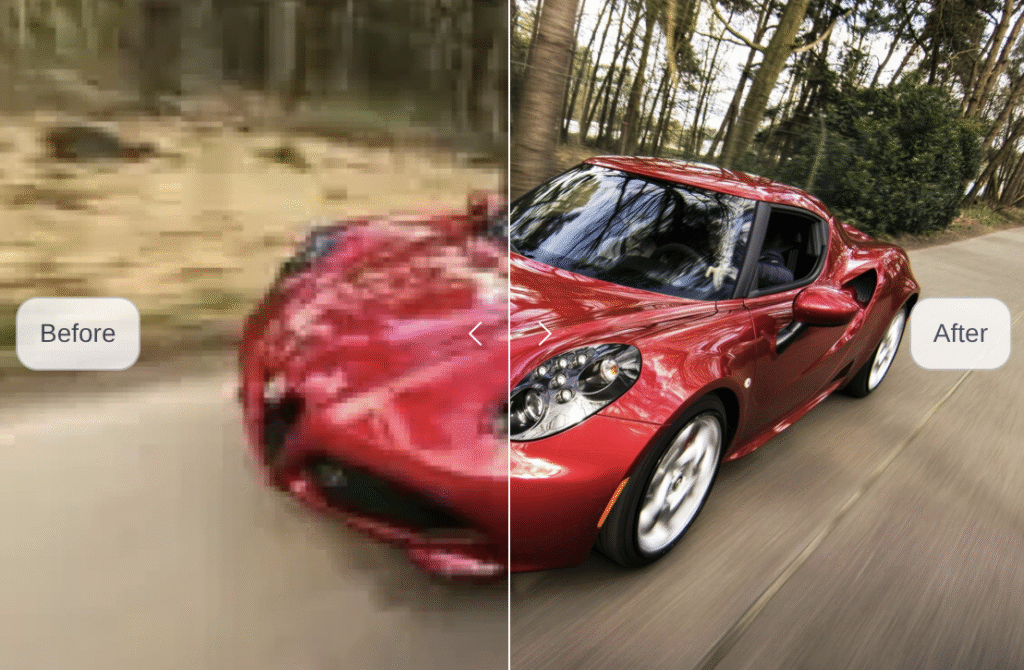
AI video upscalers can recover some of that lost quality. These tools use machine learning to analyze each frame and intelligently add detail back in—sharpening edges, reducing compression artifacts, and improving overall clarity.
The process is simple: upload your saved Instagram video to enhance and upscale downloaded video quality, select 720p or 1080p output, and get a sharper version back.
AI upscaling works best on videos that were originally shot in decent quality before Instagram compressed them. Heavily filtered or already blurry content will see less improvement.
Read More: Romantic Yet Funny Pick Up Lines to Impress a Girl
When It Helps Most
Consider upscaling when you want to:
- Watch saved Reels on a larger screen
- Use Instagram clips in your own video projects
- Archive content at better quality than Instagram provides
- Read text or see details that compression obscured
It takes just a few minutes and requires no software—the AI processing happens online. For videos worth keeping, the quality boost is noticeable.
Read more related blogs on insta video save. Also join us whatsapp.